How it works

From download to first job in ten minutes.

Three screens after you install. Paste your website if you like, connect your AI, and pick a first job. Nothing to configure and nothing to learn.

Free for 14 days, no card. Mac and Windows.

1 min

Download and install.

2 min

Paste your website and agree.

3 min

Connect your AI.

5 min

Your first job, done while you watch.

Screen by screen

Here is exactly what you will see.

Real screens from a fresh install.

Step 1 · One minute

Download and install.

Pick Mac or Windows. On a Mac, drag Vassal Agent into Applications. On Windows, run the installer and press Next.

The first time you open it, macOS asks once: Open? Say yes. That is the whole install. There are no settings to fill in and no account to make.

MacOpen the download, drag the app into Applications, open it once.
WindowsRun the installer. It puts Vassal Agent in your Start menu.
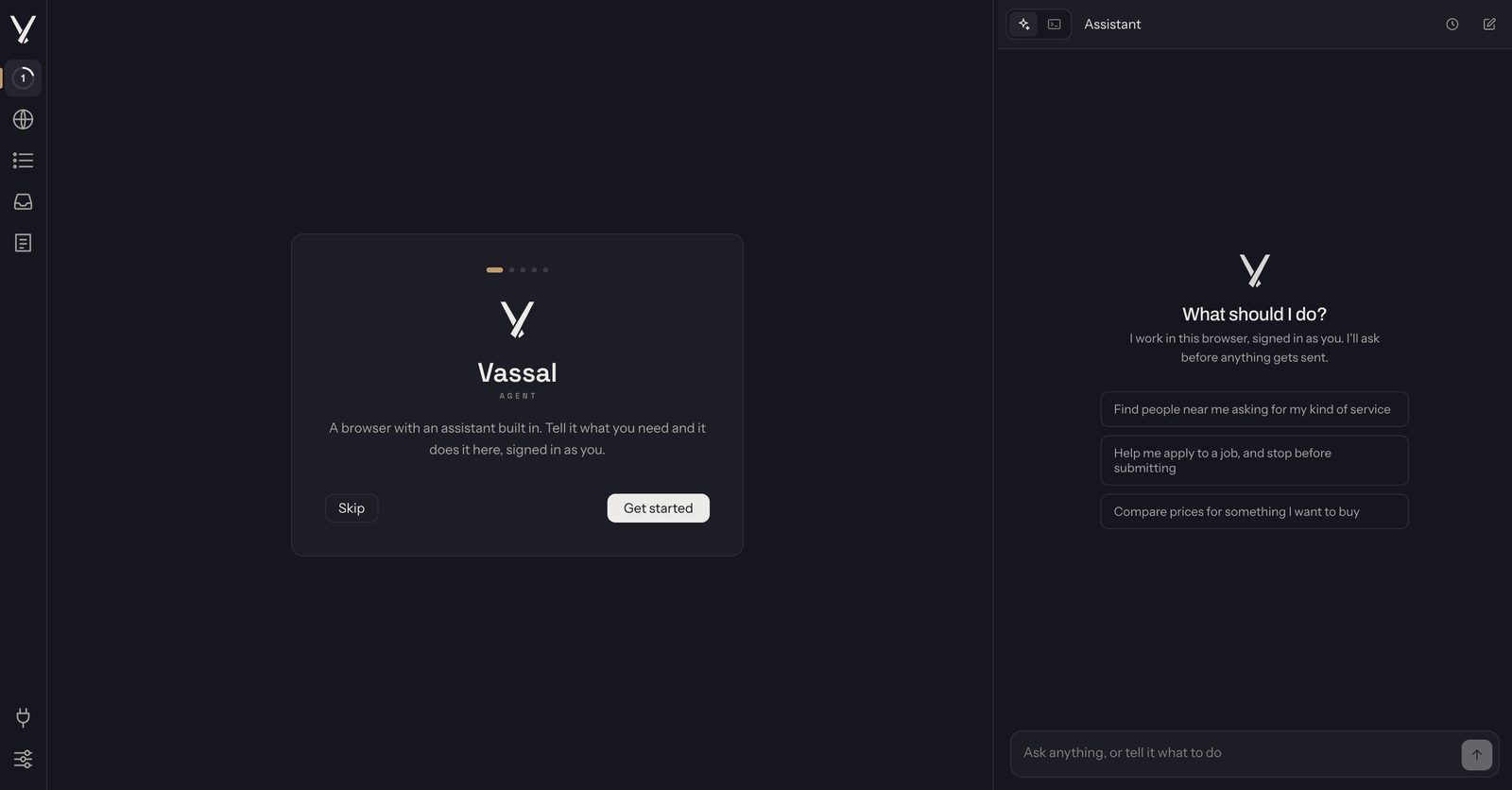
The Vassal Agent window on first open: a welcome card with a Get started button on the left, and the assistant panel on the right asking What should I do?
First open. The assistant is on the right, and setup starts on the left.

Step 2 · Thirty seconds

Paste your website and agree.

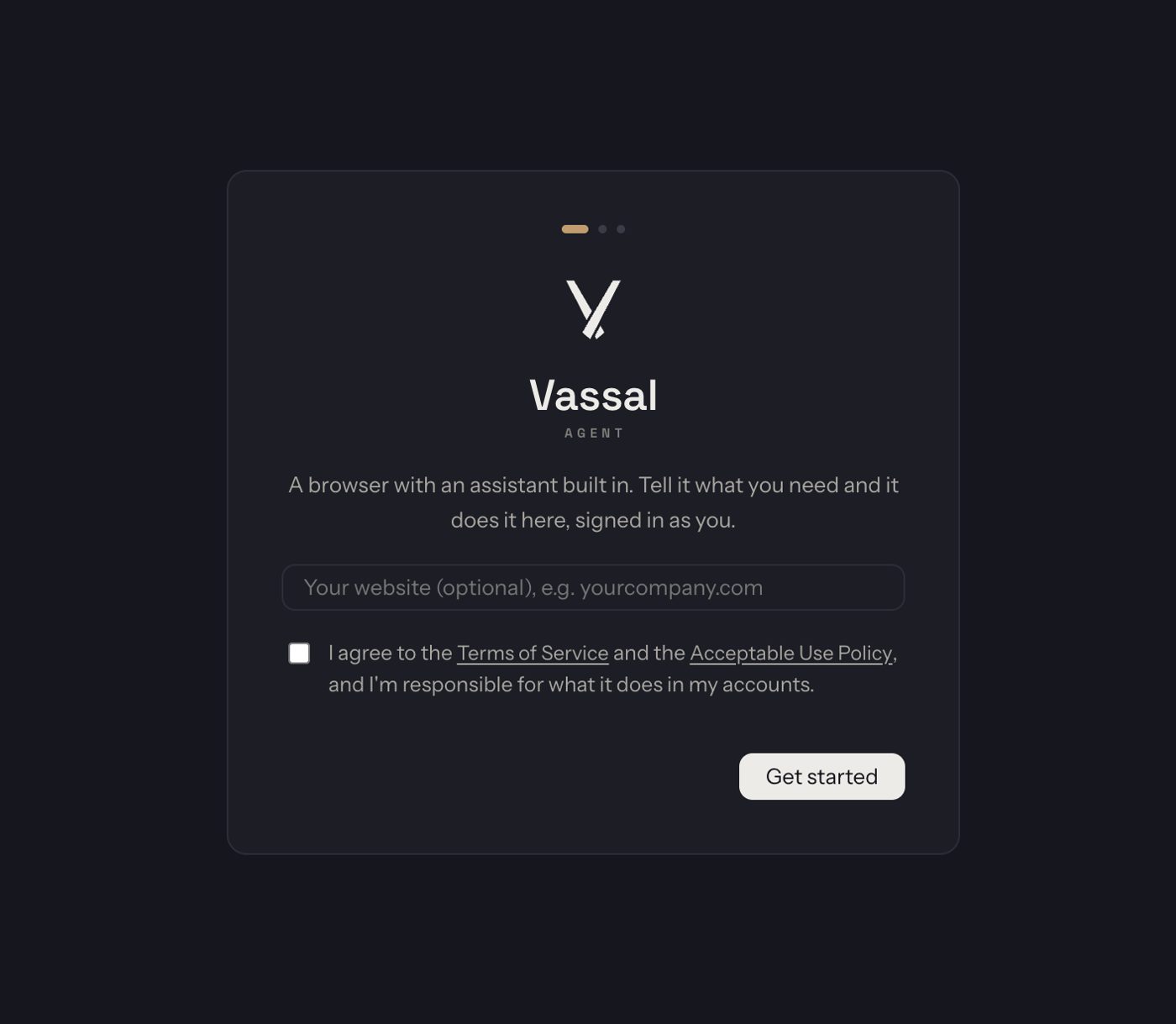
The first screen has one box: your website, and it is optional. It reads the site in the background and works out what you do and who you sell to, so there is no form to fill in.

Tick the box to agree to the terms and press Get started. You can change anything it learned later in Settings.

The welcome screen: the Vassal Agent mark, an optional box for your website, a tick box to agree to the Terms of Service and Acceptable Use Policy, and a Get started button.
One optional box and one tick.

Step 3 · One button

Connect your AI.

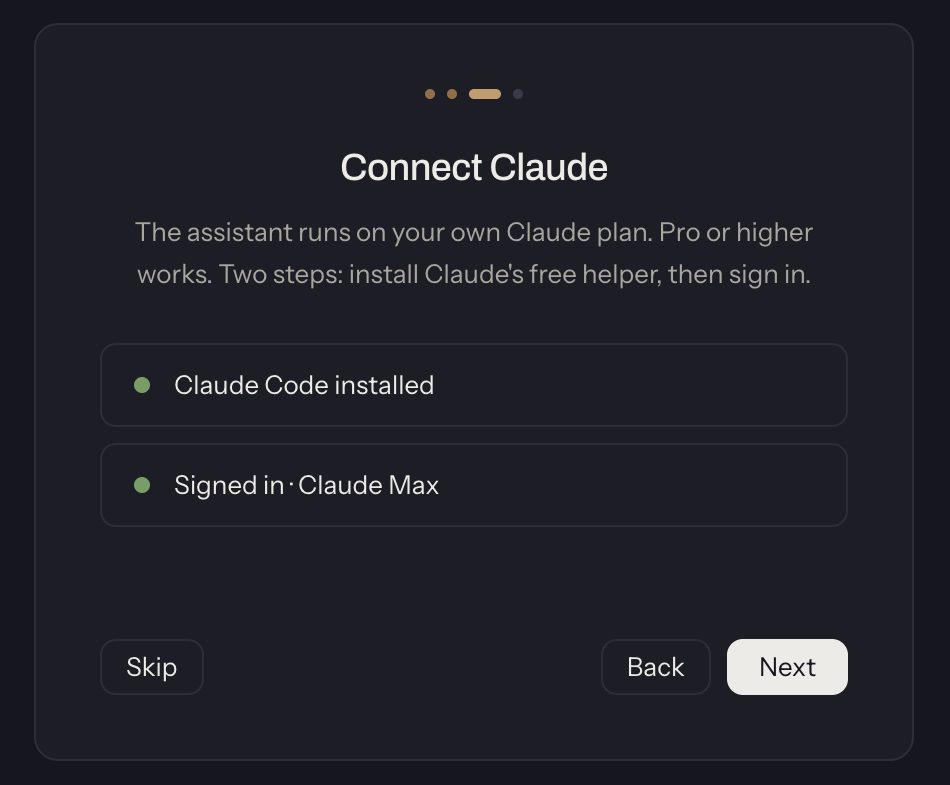
The assistant runs on the AI plan you already pay for. Press Connect and it links Claude. Already use ChatGPT Codex, Gemini or Cursor? Connect that instead and it drives the same browser.

No AI plan yet? Press Get Claude Pro. It is $20 a month and it is enough. Your conversations stay between you and your AI provider. We never see them.

The Connect Claude card with two green rows: Claude Code installed, and Signed in.
Two green rows and you are connected.

Step 4 · Watch it work

Your first job.

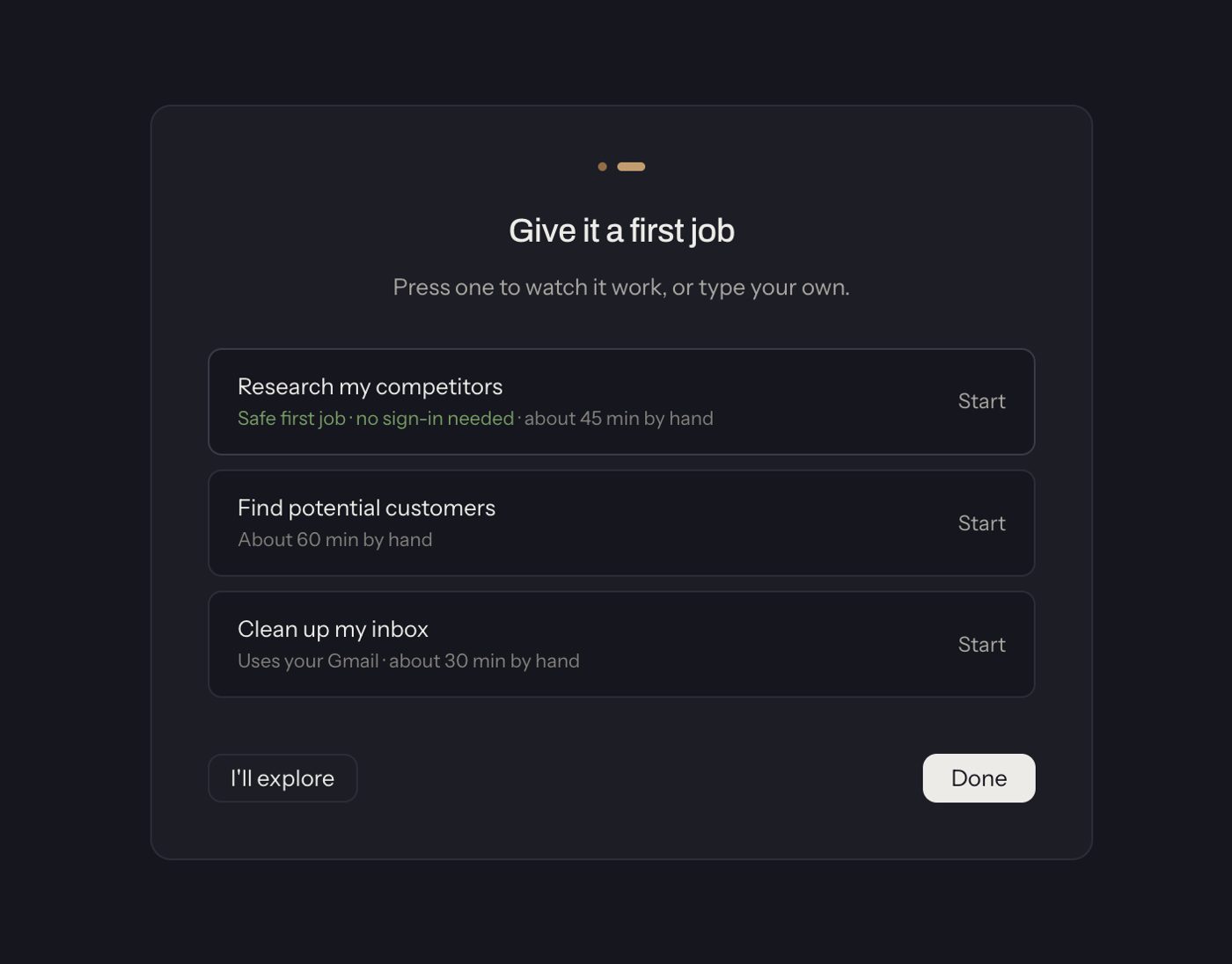
Three plain jobs are waiting: Research my competitors, Find potential customers and Clean up my inbox. The first needs no sign-in, so most people start there. Press Start, or type your own.

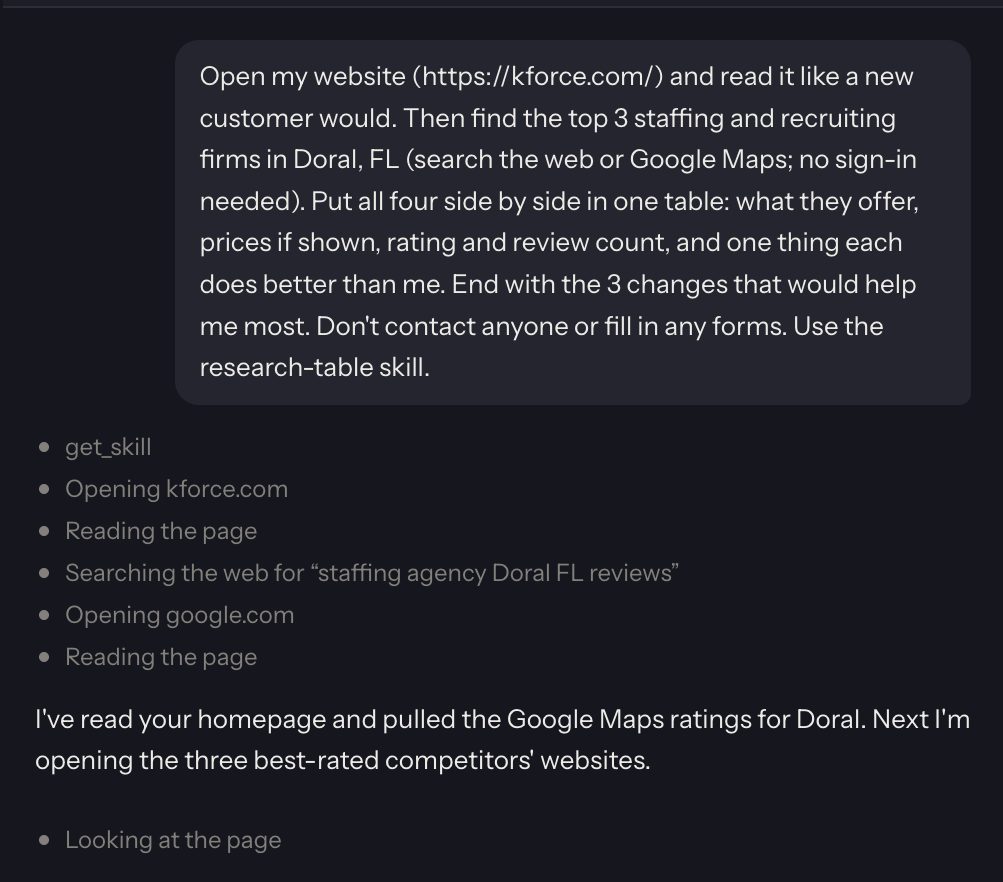
Then watch. The panel on the right lists every page it opens and every thing it reads, as it happens. A few minutes later the answer is there, with sources.

When it finishes, it tells you how much time it saved.

The first-job screen: Research my competitors (safe first job, no sign-in needed), Find potential customers, and Clean up my inbox, each with a Start button.
Three plain jobs. Press one.
The assistant panel while the first job runs. The job is written at the top, then a list of steps: opening the website, reading the page, searching the web, opening Google, and a note that it is now opening the three best-rated competitors.
Every step, as it happens.
A green notice: Your first job is done. That took 2 minutes of your time instead of about 45.

Step 5 · Every day after that

Type a job, or let the mornings run.

Type what you want in plain words, the way you would tell a person. Or schedule a job for every morning and the answer is in your Inbox before you sit down. If a job needs a site you are not signed in to, it opens it and asks you to sign in.

Before it sends, posts, pays or deletes anything, it stops and asks. Nothing happens until you press Allow. Correct it once and it writes itself a note, so it does it your way next time.

Step 6 · Nothing to maintain

Updates and billing.

Updates install themselves. You never download anything again, and you never see a version number.

The trial is free for 14 days with no card. After that it is $499 a month or $4,990 a year, and you can cancel any time. A private setup call is included. Book it whenever you like, before or after you start.

After the free 14 days

$499 a month

or $4,990 a year, two months free. Cancel any time.

  • Updates install themselves
  • Every job, every schedule, every site
  • A private setup call, included
  • Full refund in your first 14 paid days
Start 14-day free trial → Book the setup call

Questions

Before you install.

Is it hard to install?

No. On a Mac you drag it into Applications. On Windows you run the installer. The first time you open it on a Mac, macOS asks once if you want to open it. Say yes and you are in.

Do I need Claude?

You need one AI plan, and Claude Pro at $20 a month is enough. If you already use ChatGPT Codex, Gemini or Cursor, connect that instead and it drives the same browser. If you have none, the setup screen has a Get Claude Pro button.

What if I get stuck?

Book a private setup call. It is included with the trial and with every plan. We go through the screens with you and run your first job together.

Does it work on Windows?

Yes. There is a Windows installer and a Mac download, and both get the same app with the same screens. Updates install themselves on both.

Ten minutes from now, it is working.

14 days free, 14 more with a full refund. Cancel any time.